Payment Products
Payment Widget
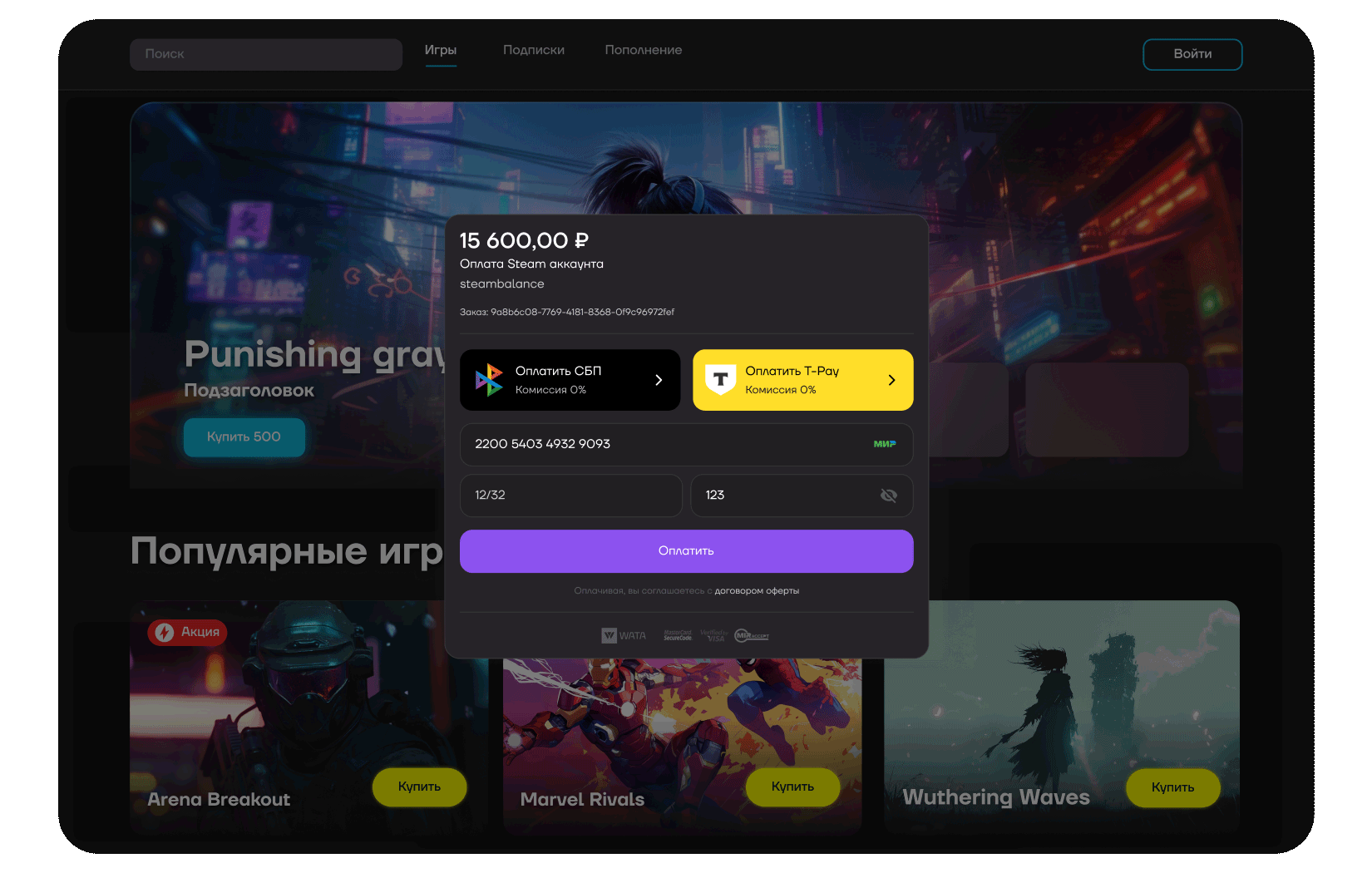
A pop-up or embedded payment form for accepting payments on a website without redirecting to the WATA payment form. It is compatible with all browsers and mobile devices, and ensures that customers remain on your website or app.
Pop-up payment form without redirect
Benefits
- Create a unique payment form with your own design at any stage of the sales process.
- Select additional Host-to-Host payment methods, such as SBP and T-Pay.
- Increase conversion rates by enabling quick purchases within your interface, avoiding the need for third-party forms.
- Analyse customer transaction data on your backend.
- Save development time on the payment form.
- Protect your customers' payment card data with a cryptogram.
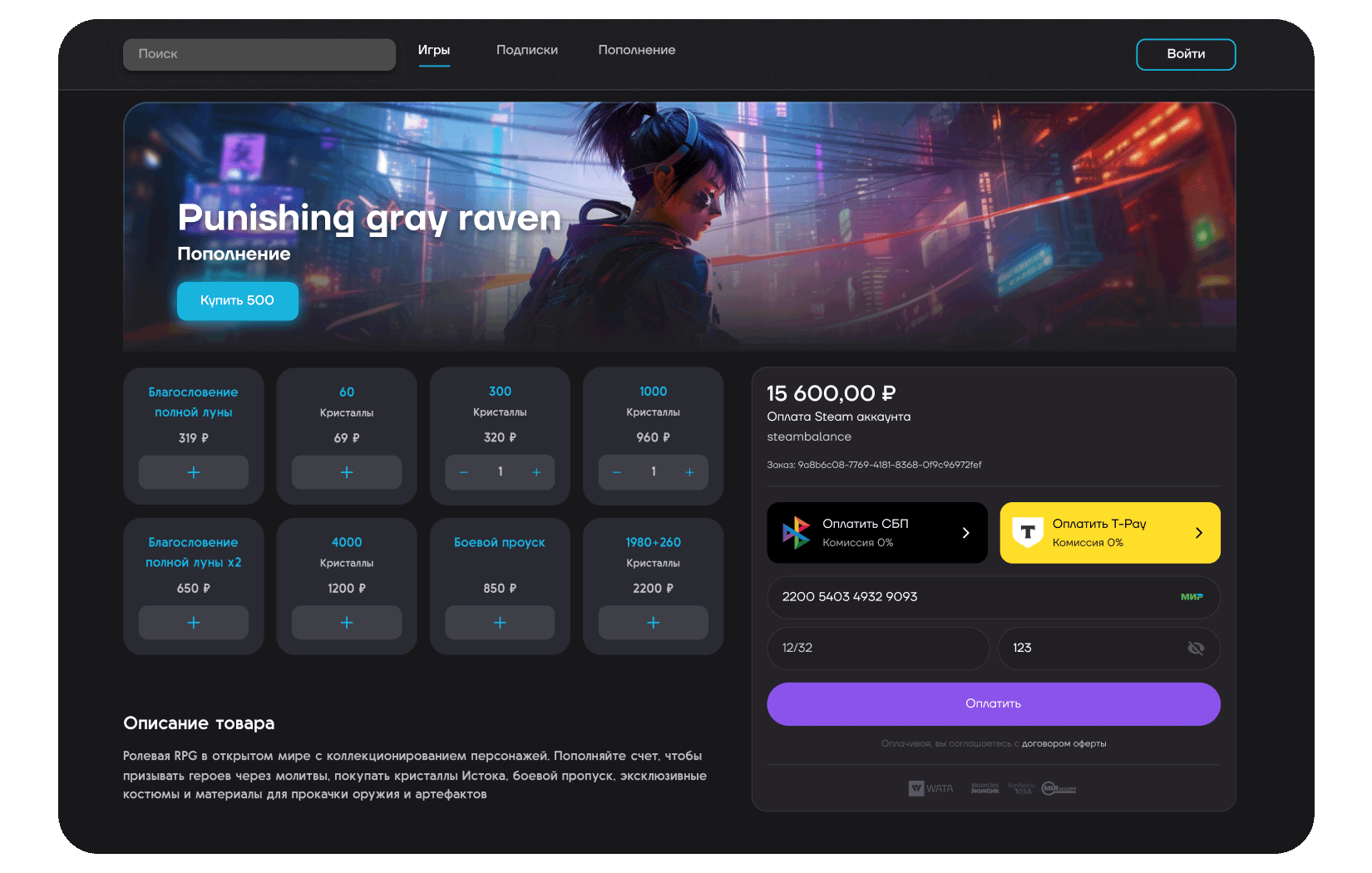
Embedded payment form without redirect
Widget Parameters
| Parameter | Required | Type | Comment |
|---|---|---|---|
| publicId | Yes | UUID | Public identifier of the merchant terminal. You can find it in the merchant account in terminal details or request it from your account manager |
| amount | Yes | Number | Payment amount. Up to 2 digits after the decimal point are allowed for kopecks or cents. Example: 1188.00 |
| currency | Yes | String | Payment currency (RUB, EUR, USD) |
| orderId | No | String | Order identifier in the merchant system |
| description | No | String | Order description |
| successRedirectUrl | No | String | Terminal page address where the payer is redirected after successful order payment. Use none to prevent redirecting to the address configured on the terminal by default |
| failRedirectUrl | No | String | Terminal page address where the payer is redirected after unsuccessful order payment. Use none to prevent redirecting to the address configured on the terminal by default |
| theme | No | String | Theme: light, dark, auto (auto by default) |
| locale | No | String | Localization: ru for Russian (default), en for English |
Installation
Place this script on your page
<script src="https://static.wata.pro/widget.js"></script>
Initialize the widget
const options = {
    publicId: '31fdcb7c-49ae-48a0-a01a-432e833089d8',
    amount: 123,
    currency: 'RUB',
};
const widget = new window.PaymentWidget(options);
Embedded Widget Example
Can be embedded on any page of your project.
<div id="embedded-widget"></div>
const widget = new window.PaymentWidget(options);
const container = document.getElementById('embedded-widget');

widget.mount(container);
Modal Widget Example
Opens in a modal window over the page content.
<button id="modal-trigger">Proceed to payment</button>
const widget = new window.PaymentWidget(options);
const modalBtn = document.getElementById('modal-trigger');

modalBtn.onclick = () => widget.open();
Checkout Script
A standalone form for collecting card details, integrated directly into your website's UI. The merchant can process transactions independently from the WATA payment platform and control card data handling.
Contact your account manager to learn the connection terms.
Benefits
- Create a unique payment form in your own design at any sales stage.
- Select additional Host-to-Host payment methods, such as SBP and T-Pay.
- Increase conversion for quick purchases inside your interface without third-party forms.
- Analyze customer transaction data on your backend.
- Save development time on the payment form.
- Protect your customers' payment card data with a cryptogram.
Cryptogram
The checkout script placed on your site validates card data and creates a cryptogram from it for payment through the WATA API. By following the requirements below, raw card data never reaches your server. However, maintaining a secure server environment remains your responsibility.
Cryptogram example
eyJUeXBlIjoiQ2xvdWRDYXJkIiwibWV0YURhdGEiOnsiUGF5bWVudFVybCI6Imh0dHBzOi8vZGV2ZWxvcGVycy5jbG91ZHBheW1lbnRzLnJ1LyIsIlJlZmVycmVyVXJsIjoiaHR0cHM6Ly9kZXZlbG9wZXJzLmNsb3VkcGF5bWVudHMucnUvIn0sIkJyb3dzZXJJbmZvQmFzZTY0IjoiZXlKQlkyTmxjSFJJWldGa1pYSWlPaUlxTHlvaUxDSktZWFpoUlc1aFlteGxaQ0k2Wm1Gc2MyVXNJa3BoZG1GVFkzSnBjSFJGYm1GaWJHVmtJanAwY25WbExDSk1ZVzVuZFdGblpTSTZJbkoxTFZKVklpd2lRMjlzYjNKRVpYQjBhQ0k2SWpNd0lpd2lTR1ZwWjJoMElqb2lNVEExTUNJc0lsZHBaSFJvSWpvaU1UWTRNQ0lzSWxScGJXVmFiMjVsSWpvaUxUUXlNQ0lzSWxWelpYSkJaMlZ1ZENJNklrMXZlbWxzYkdFdk5TNHdJQ2hOWVdOcGJuUnZjMmc3SUVsdWRHVnNJRTFoWXlCUFV5QllJREV3WHpFMVh6Y3BJRUZ3Y0d4bFYyVmlTMmwwTHpVek55NHpOaUFvUzBoVVRVd3NJR3hwYTJVZ1IyVmphMjhwSUVOb2NtOXRaUzh4TXpNdU1DNHdMakFnVTJGbVlYSnBMelV6Tnk0ek5pSjkiLCJGb3JtYXQiOjEsIkNhcmRJbmZvIjp7IkZpcnN0U2l4RGlnaXRzIjoiNDI0MjQyIiwiTGFzdEZvdXJEaWdpdHMiOiI0MjQyIiwiRXhwRGF0ZVllYXIiOiIyNSIsIkV4cERhdGVNb250aCI6IjAxIn0sIktleVZlcnNpb24iOiIxMyIsIlZhbHVlIjoidVZnQlpndDNUZ3FRWkM3aXZaekhiZWIvUWw2RkFpWVlZVHhZakVlbm9UL3VXOUFFRE01cjYycml0RlpzOWx5ZXZPTC81WE90RnFWQ01aTFVjRXVqNDhnclRyUEFXVUg5ekN6SlppejAweEV2MU1lcmNpM3hmR1pSdXNxS2Y2bVdDRzBjUEkxUDZHVzlCNmo3RXkvWXMrNHNiQ1NvSlJIaHVXcTVERTU5Yk1kZHh1eUJqMjluM0NBRWlwQ0I1Ty9QMk1rZmh4MGd4aHZCVjNaNTVGaW15NXZqZlk4ZkZnQW9SdTZUdXIvNk1wUEw3MkhNYVBlR29iUGN0MExvZGorZm5hVVBCcEZ0V3RBVVhMb285NWtYT0hKQmxFbWRzZXA5Mkw5Y3d0QXdwRzF3MlNnbk9LT3R6dHplNFB4NkJIQXZINndKQ1VQZzIrMUpzWjRxMUl5dzhnPT0ifQ==
Requirements
- The form must work over an HTTPS connection with a valid SSL certificate.
- Form fields must not have the
nameattribute. This prevents card data from reaching the server when the form is submitted. - The card number field must support input of up to 16 digits.
- The cryptogram must be created only by the original checkout script loaded from WATA's official domains.
- The cryptogram must not be stored after payment or reused.
Installation
Place this script on the merchant payment form and use its methods to validate card data, create a cryptogram with card data, and collect payer device data.
Place the script link at the end of the page
<script src="https://static.wata.pro/widget.js"></script>
Initialize the script
const checkout = window.WataCheckout();
Example Card Data for Encryption
const cardData = {
    number: "4242424242424242",
    expirationMonth: 12,
    expirationYear: 28,
    cvv: '333',
    cardHolderName:'IVAN IVANOV',
};
Card Data Validation
const errors = checkout.validate(cardData);
Validation Error Object, If Errors Exist
type ValidatonErrors = {
    data?: string;
    number?: string;
    expirationMonth?: string;
    expirationYear?: string;
    cvv?: string;
}
Validation Error Codes
| Error | Comment |
|---|---|
| CardData_Invalid | The validate method did not receive an object with card data |
| CardNumber_Empty | The number field is empty or missing |
| CardNumber_Invalid | Invalid card number |
| ExpirationMonth_Empty | The expirationMonth field is empty or missing |
| ExpirationMonth_Invalid | Invalid expiration month |
| ExpirationYear_Empty | The expirationYear field is empty or missing |
| ExpirationYear_Invalid | Invalid expiration year |
| Cvv_Empty | The cvv field is empty or missing |
| Cvv_Invalid | Invalid cvv |
Encrypting Card Data
const errors = checkout.validate(cardData);
Getting Payer Device Data
const deviceData = checkout.getDeviceData();